Appearance
Cấu hình SDK
Hướng dẫn cấu hình VBot iOS SDK.
Cài đặt SDK
CocoaPods qua Git repository
Thêm VBotPhoneSDK vào Podfile.
swift
platform :ios, '13.5'

target 'Runner' do
  use_frameworks! :linkage => :static

  pod 'VBotPhoneSDKiOS-Public', :git => 'https://github.com/VBotDevTeam/VBotPhoneSDKiOS-Public.git', :tag => '1.1.11'

  target 'RunnerTests' do
    inherit! :search_paths
    # Pods for testing
  end

end

post_install do |installer|
  installer.pods_project.targets.each do |target|
   target.build_configurations.each do |config|
     # Bắt buộc
     config.build_settings['BUILD_LIBRARY_FOR_DISTRIBUTION'] = 'YES'
    end
  end
end
Sau đó chạy pod install.
Trong đó phần config.build_settings['BUILD_LIBRARY_FOR_DISTRIBUTION'] = 'YES' là bắt buộc để VBotPhoneSDK hoạt động với các phiên bản Swift mới hơn
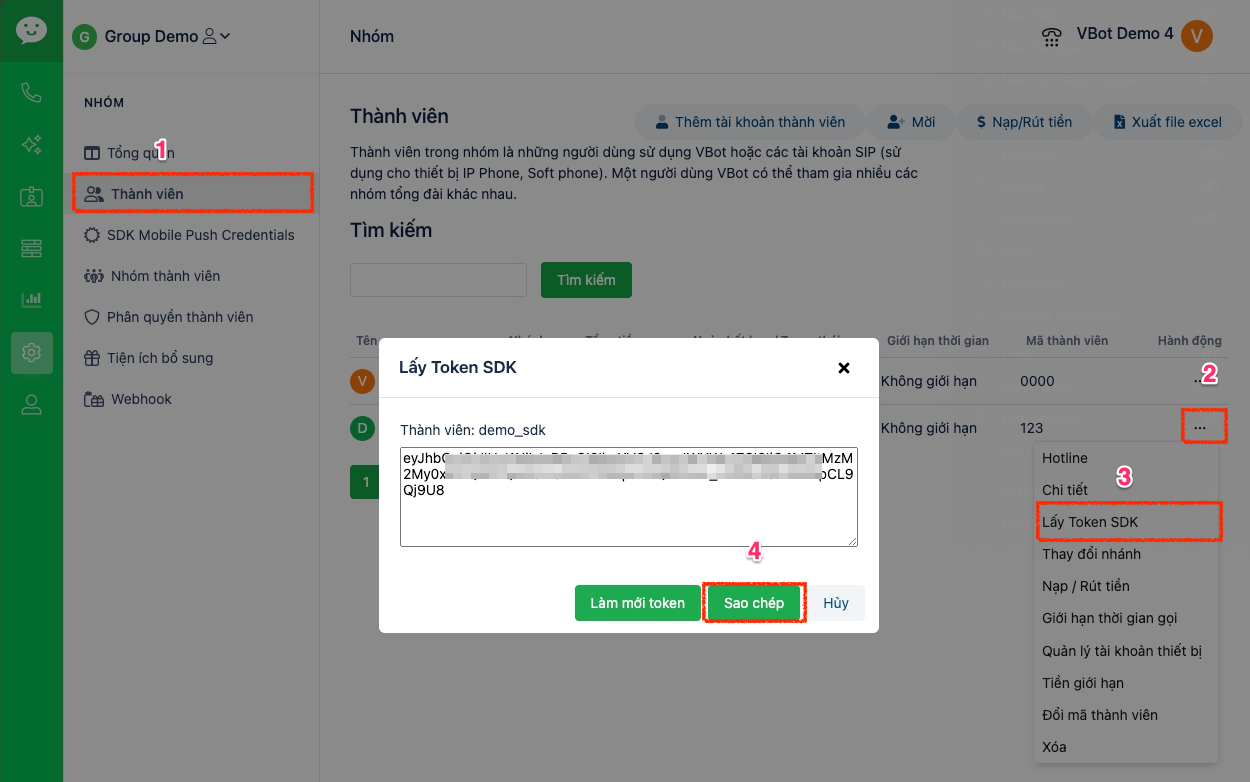
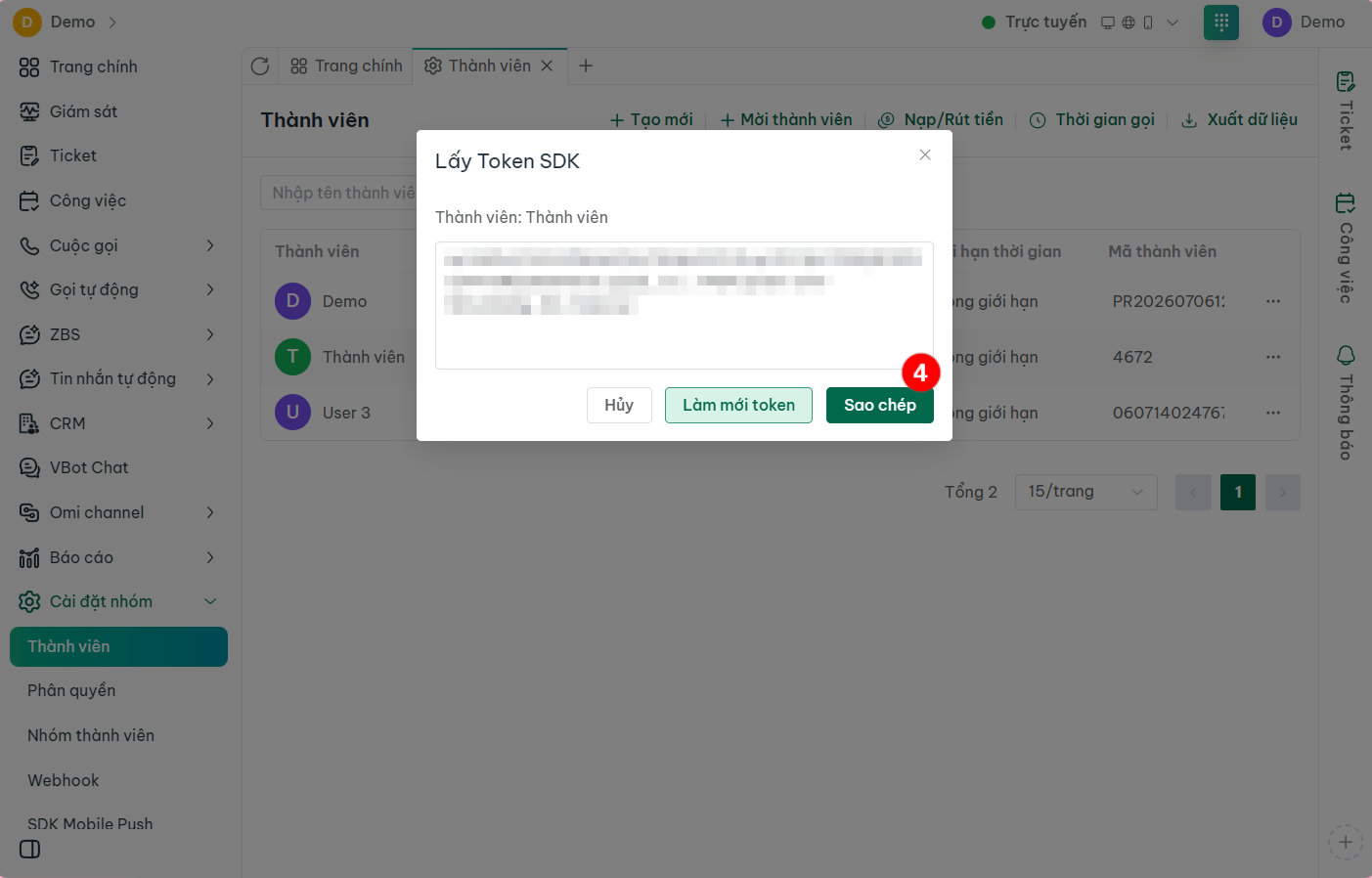
Lấy token thành viên
Truy cập vào website VBot và đăng nhập
Chọn Cài đặt nhóm → Thành viên → Lấy Token SDK
Sao chép chuỗi token